Mobile AI background removal for social videos on Android
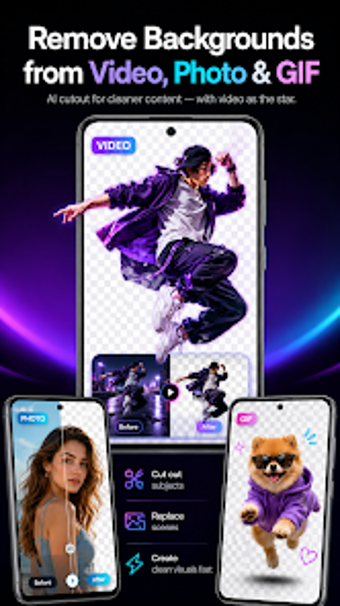
AI Video Background Remover, by zwh.tec, is an Android app that removes or replaces video backgrounds without a green screen. It uses on-device AI to identify subjects automatically and separate them from their surroundings, enabling simple background swaps and solid-color backdrops for short clips. The app includes one-tap processing, a lightweight mobile-first interface, and direct export to the device gallery. Social media creators, vloggers, and casual users gain fast mobile editing for platform-ready videos.
Unlock your creativity with Adobe Stock
Get 10 images or 1 video with a free trial
Handles common mobile video formats with output tied to source quality
Supports various video formats and resolutions so users can edit footage captured on phones using standard mobile codecs. The app accepts typical mobile resolutions and preserves the original source characteristics; the final export quality reflects the input file and the device's processing capability rather than converting to higher fidelity. This makes it practical for short-form clips where the original recording sets the ceiling for results.
Interface design prioritizes quick results over advanced controls
Designed for rapid mobile workflows, the interface lets creators reach an edited clip with minimal onboarding, following a tap-to-process pattern that emphasizes speed. That approach reduces the learning barrier for casual editors and social creators. However, the simplified workflow limits access to granular compositing controls that professional editors expect, so complex multi-layer projects are not the tool's intended workflow.
Processing speed and accuracy depend on device and footage complexity
Processing time varies with clip length and hardware, since subject detection and frame-by-frame isolation use CPU/GPU resources. User feedback highlights effective subject detection in straightforward scenes, while dense or busy backgrounds increase processing time and can reduce separation quality. Expect faster results on higher-performance devices and slower throughput on entry-level hardware when working with longer clips.
Best suited to mobile creators rather than desktop studios
Targeted at social media creators and vloggers, the tool's mobile-first build and lighter footprint make it easier to edit on the go than to reproduce a full desktop compositing workflow. The developer's focus on multimedia utilities supports that orientation. For users producing short platform-ready videos, the app speeds a common task; for studio work that needs exhaustive control, a desktop solution remains more appropriate.
Practical mobile choice for creators needing fast background edits
The app is a practical option for creators who need rapid background swaps on Android devices, delivering accessible editing without specialized gear. Expect trade-offs in precision and consistent throughput tied to the device used; it is not a substitute for full desktop compositing. For social clips and quick vlogs, it matches the mobile-first workflow and speed priorities of its intended users.
Pros
Removes backgrounds without a physical green screen
Solid-color and custom image background replacement options
Lightweight mobile-first design for quick edits
Cons
Output quality depends on original video and device hardware
Processing time increases with longer clips or complex backgrounds
Limited advanced compositing compared with desktop-grade suites
Loading…
About permissions
Before downloading, you can take a quick look at the permissions this app may request on your device. App permissions allow certain features to work properly, such as accessing your camera to take photos, your location for maps, or your storage to save files.
In this section, you’ll find a clear and simple overview of the types of permissions the app uses, grouped by their level of sensitivity, along with a visual breakdown to help you understand them at a glance. This way, you can see how the app interacts with your device and decide to download with confidence.
Permissions types
Standard
100%
Permissions distribution
Privacy
50%
Data collected
25%
Data shared
25%
Data safety info
Privacy
2 permissions
Permissions that allow the app to access personal or sensitive information stored on your device, such as location, contacts, camera, or microphone.
android.permission.WAKE_LOCK
Standard
android.permission.FOREGROUND_SERVICE
Standard
Data collected
1 permissions
Information the app may gather from your device or usage activity to enable features, personalize content, and improve overall performance.
android.permission.ACCESS_NETWORK_STATE
Standard
Data shared
1 permissions
Information that may be shared with trusted third parties to provide services, support app functionality, or deliver relevant content.
android.permission.INTERNET
Standard
This report summarises the permissions declared by the app at the time of scanning and groups them into Privacy, Data collected and Data shared. A declared permission shows what the app can access, it does not necessarily mean personal data is collected or transmitted. For full details check the app’s privacy policy and the developer’s clarifications shown below. Softonic generates this report automatically from the package metadata; it is informational and not a substitute for a full security or privacy audit.
Laws concerning the use of this software vary from country to country. We do not encourage or condone the use of this program if it is in violation of these laws. Softonic may receive a referral fee if you click or buy any of the products featured here.